Show where to buy your products.Start on your product page.
A buying answer connects products to listed retailers. Online destinations remain unverified; listings do not confirm current stock or delivery. Stockisto records actions, not visits or sales.
- You
Your products and catalogue.
Catalogue - Wholesaler
The partner distributing your products.
Distribution - Retailer
A listed destination for the product.
Listed network - Installer
The trade contact advising the shopper.
Recorded actions - A home
The shopper looking for a buying answer.
Keep the retailer in the journey
Your products may reach retailers through wholesalers and installers. The buying answer helps shoppers find a listed destination for that product.
Use your catalogue and distribution relationships to connect products with the retailers you list.
From product to buying destination
The shopper arrives on a product page you already run. Embed the widget there, with the product selected.
Shoppers can open directions or contact a physical retailer. They can follow a listed website link to ask about the product.
This is how it looks on your product page.
This is a product page with the embed dropped in under the buy box. Pick an option and try it: rows open to opening hours, addresses and directions.
Ask for the full embed gallerySee which actions visitors take
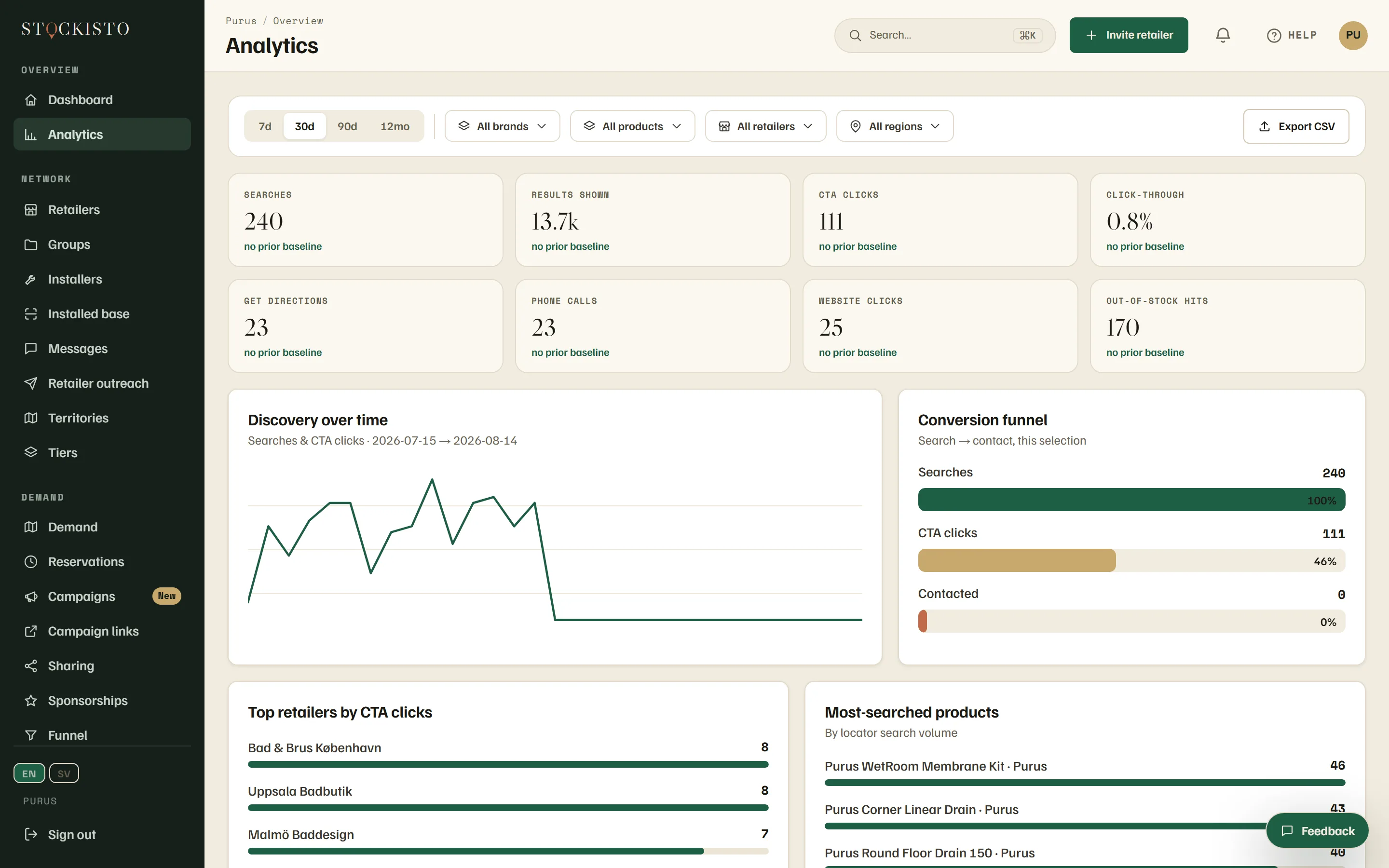
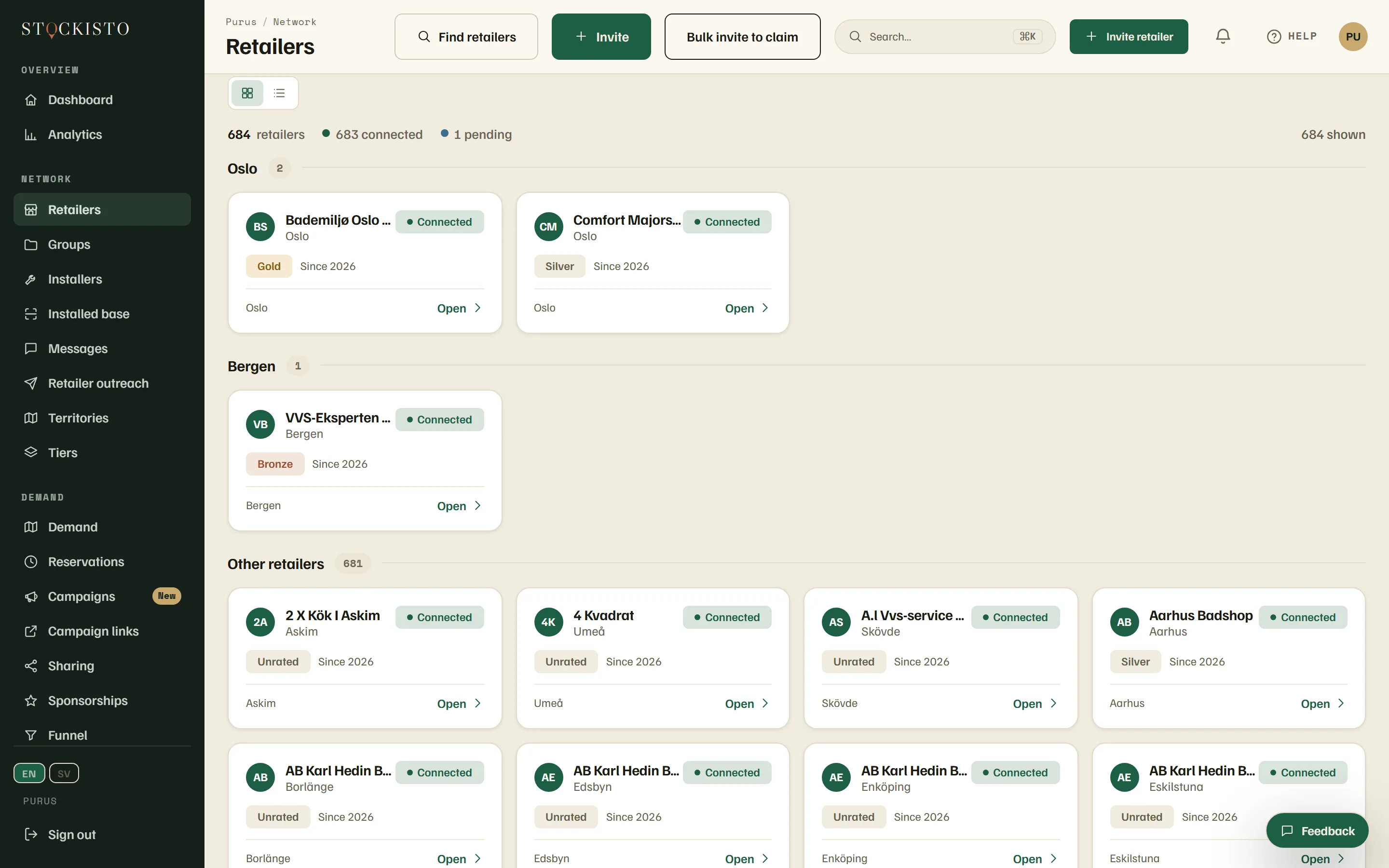
Real screens from the running product. The rows carry demo data.
The moment
Directions, calls and website clicks show what visitors did in the locator. Use these records to compare interest across retailers.
Searches, the stores people chose, and the products they were looking for.
The map
Read these actions beside the retailer listings you imported. Check the list with your partners when coverage looks incomplete.
Every retailer that carries you, with its region, its tier and whether it is connected.
Keep the answer useful
Retailers can update their listings. Check addresses and product links when the answer no longer matches what the retailer provides.
Read retailer-confirmed stock status with its confirmation date. Ask the retailer for an update when information is old or missing.
If an answer cannot load, retry it. If no destination appears, ask the retailer about the product.
From records to leverage
Analytics
See which retailers your demand reaches, and which ones it never gets to.
Partner tiers
Give your strongest retailers better placement, with a number behind the decision.
Campaigns
Run a campaign where the demand already sits, region by region.
White space
Find regions where retailers carry your category but none of your range, across the imported retailer list you gave us.
Check the plan before starting
Plan prices and trial terms come from the current commercial catalogue. Request a pilot below to discuss your retailer listings. Subscription and publication are separate steps after that discussion.
See the retailer listings we already hold for your brand, before you sign anything.
Tell us your brand and where you sell. In Swedish VVS we'll come back with the retailer listings we already hold. Elsewhere we'll tell you what it takes to map yours.